
Download .NET Checker – .NET, C++, Framework, Installer, Developer Tool, Windows, Utility, Tool, SDK, Compatibility
Overview
.NET Checker is a lightweight utility designed for developers and system users on Windows platforms who need to verify the presence and version of installed .NET and C++ frameworks. This compact tool, weighing in at just over 200 KB, delivers immediate insights into the runtime environments present on a computer. Its primary purpose is to resolve compatibility issues that arise when running software requiring specific .NET versions or Visual C++ redistributables. By identifying missing components, .NET Checker helps users avoid installation failures and runtime errors.
Target users include software developers, IT professionals, and end-users troubleshooting application issues. The tool is especially useful when installing or updating software that specifies framework dependencies. Real-world use cases involve verifying system readiness before deploying applications, validating environments during debugging, or ensuring compliance with software requirements. For developers, it serves as a quick diagnostic aid during testing and deployment phases.
The developer, Jason K. Menard, has created a focused solution that prioritizes efficiency and simplicity. Although the developer did not provide additional technical details about the development process or project history, the app’s minimal footprint and clear functionality suggest a deliberate design for performance and accessibility. In the broader app ecosystem, .NET Checker fills a niche by offering a no-frills, reliable method to inspect framework installations without requiring complex tools or administrative privileges.
Key Features & Functionality
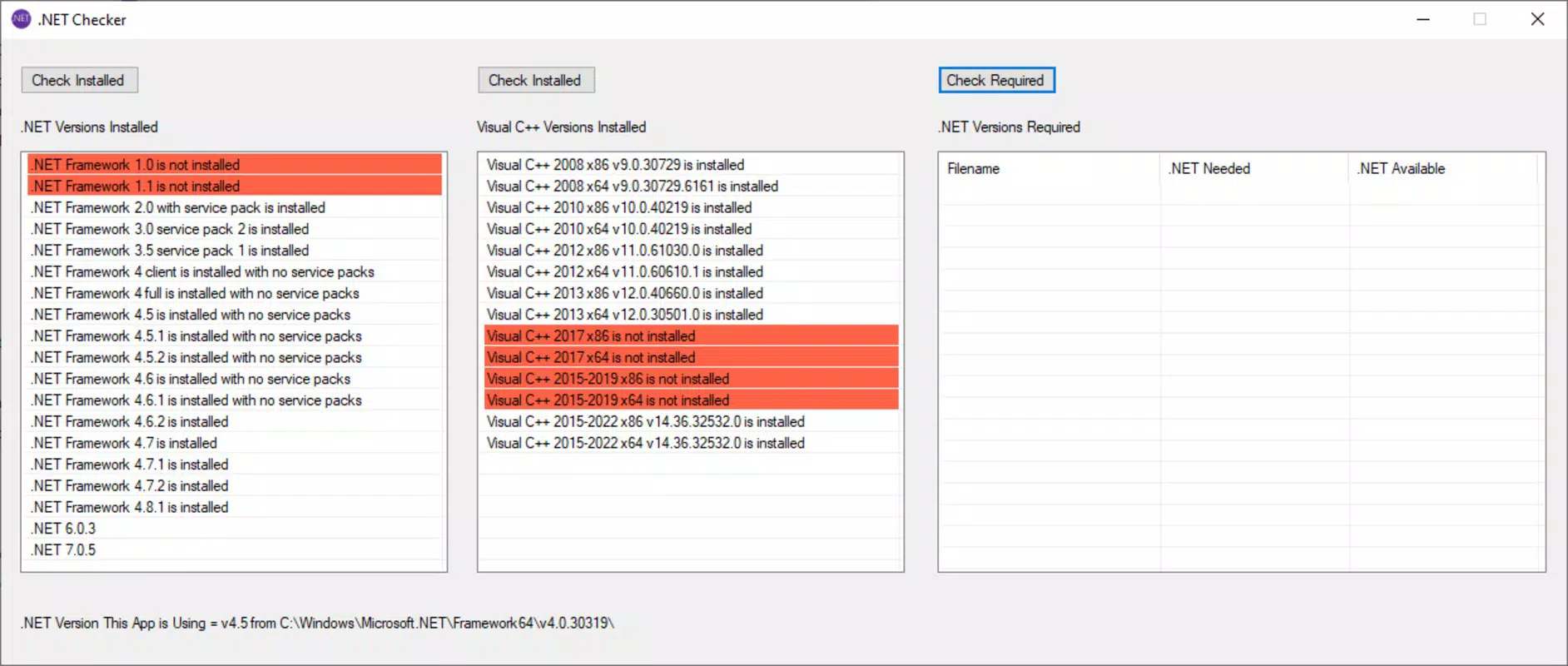
- Simple Version Check: With a single click, .NET Checker scans the system and displays a comprehensive list of all installed .NET and C++ framework versions. Missing versions are highlighted in red, enabling instant visual identification of gaps in the system’s runtime environment.
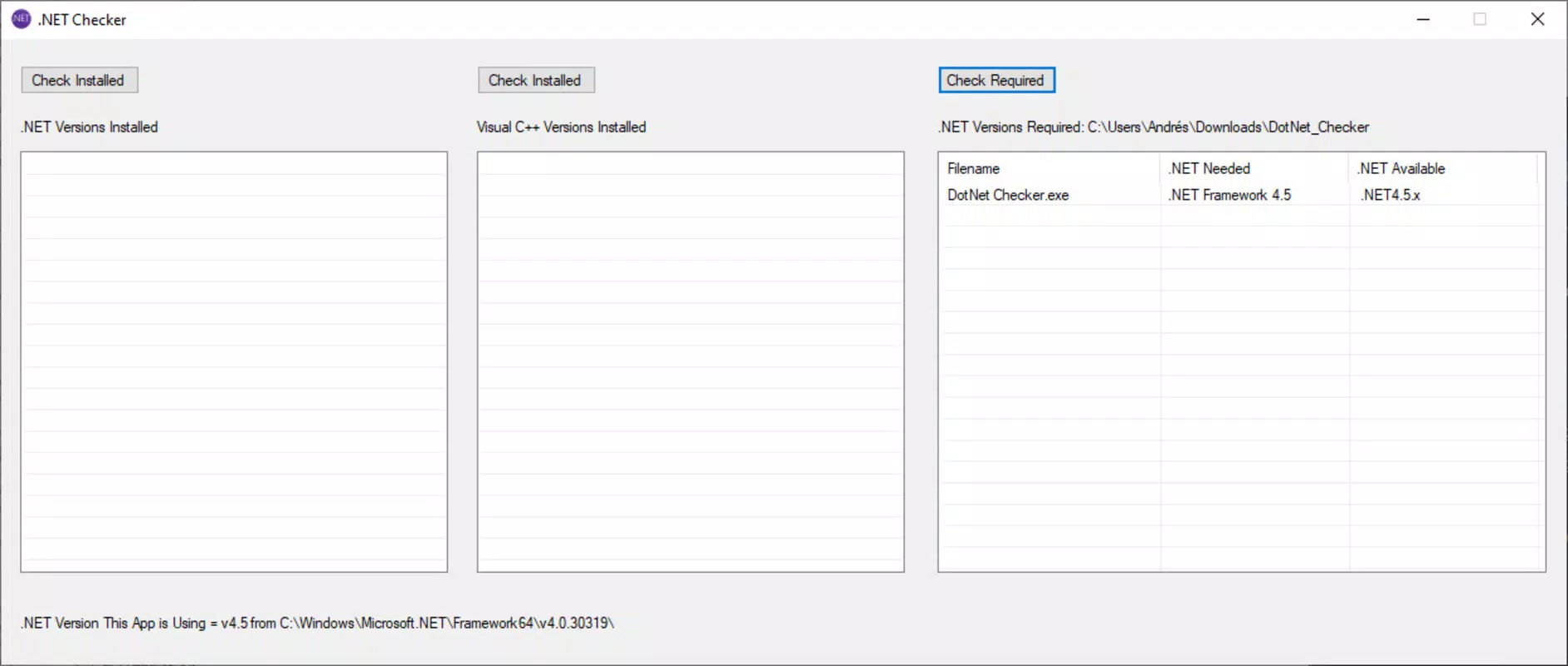
- Application-Specific Requirements: Users can point the tool to any executable file to determine the exact .NET Framework version required by that application. This feature simplifies troubleshooting by directly linking software needs to system capabilities.
- Compact Size: At just over 200 KB, .NET Checker occupies minimal disk space, making it ideal for inclusion in developer toolkits or system diagnostic suites without adding clutter.
- Direct Download Links: When a required framework is missing, the tool provides guidance to download the correct version from Microsoft’s official website, reducing the time and effort needed to resolve compatibility issues.
- User-Friendly Interface: The program features a clean, straightforward layout that is intuitive for both novice users and experienced developers. Navigation is seamless, with essential information presented clearly and without unnecessary complexity.
For example, a developer testing a legacy application can use .NET Checker to verify if the target .NET Framework version is installed. If not, the tool directs them to the Microsoft download page, streamlining the remediation process. Similarly, an end-user encountering a “missing DLL” error can use the tool to confirm whether the necessary Visual C++ redistributable is present.
Interface, UX & Performance
.NET Checker features a minimalistic interface designed for clarity and speed. The layout is uncluttered, with a central display area showing installed and missing framework versions. Text labels are clear, and the red highlighting for missing components ensures immediate visual feedback. Navigation is linear and intuitive—users launch the app, click a button, and receive results without additional steps.
Although the developer did not list formal performance metrics, the app’s small size suggests it runs efficiently even on older or low-resource Windows systems. The tool loads quickly and processes system data with minimal impact on CPU or memory usage. Responsiveness is consistent, with no noticeable lag during scanning or display.
Stability appears to be a priority in the design, as the app functions as a standalone executable without requiring installation or background services. The absence of complex dependencies reduces the risk of crashes or conflicts. However, specific requirements were not listed, and compatibility information was not fully disclosed, so users should exercise caution when running the tool on systems with restricted execution policies.
Platform Compatibility & Technical Requirements
.NET Checker is designed exclusively for the Windows platform and operates on Windows-based systems. The app’s version is 1.0, and it is distributed as a standalone executable with a file size of 200 KB. The developer did not specify minimum OS requirements or compatibility details for different Windows versions.
Given its small footprint and lack of installation steps, the tool is likely compatible with most modern Windows environments. However, users should verify that their system supports running unsigned executables, especially in enterprise or locked-down environments. The app does not require administrative rights to run, but some system checks may be limited without elevated permissions.
Pros and Cons
Pros
- Extremely lightweight at just over 200 KB
- Fast and responsive scanning of installed frameworks
- Clear visual indication of missing components
- Supports application-specific framework checks
- Provides direct guidance to Microsoft download pages
- Free to use with no hidden costs
- Simple interface suitable for non-technical users
Cons
- Compatibility with specific Windows versions not disclosed
- Does not install missing frameworks—only provides guidance
- No automatic update mechanism included
- Developer did not provide detailed technical documentation
- Only available for Windows, limiting cross-platform use
FAQ
Is .NET Checker safe to download and use?
Yes, .NET Checker is a standalone executable created by Jason K. Menard. It does not contain malware or unwanted components. However, users should only run it from trusted sources and ensure their antivirus software allows execution of unsigned tools.
Can I use .NET Checker on Windows 10 or Windows 11?
While the developer did not specify exact OS compatibility, the tool is designed for Windows and is expected to work on most modern Windows 10 and Windows 11 systems. Users should test it in their environment to confirm functionality.
Does .NET Checker install missing frameworks automatically?
No, .NET Checker only identifies missing .NET and C++ framework versions and provides links to download them from Microsoft’s official website. It does not perform installations or modify system files.
Is .NET Checker available for macOS or Linux?
No, the tool is currently available only for Windows. There is no version for macOS or Linux platforms.
How often should I update .NET Checker?
Since the app is free and lightweight, users should check for updates periodically. However, the developer did not include an automatic update feature, so manual checks are required.
Final Thoughts
.NET Checker delivers a focused, reliable solution for verifying .NET and C++ framework installations on Windows systems. Its compact size, intuitive interface, and direct integration with Microsoft’s official download resources make it a valuable utility for developers and troubleshooting users alike. While it does not install missing components itself, its ability to quickly identify gaps in the runtime environment significantly reduces diagnostic time.
For anyone working with software that depends on specific .NET versions, this tool offers a fast, no-cost way to validate system compatibility. It is particularly beneficial for developers managing multiple environments or users encountering installation errors. The lack of installation, minimal resource usage, and free access further enhance its appeal.
Download .NET Checker now


